
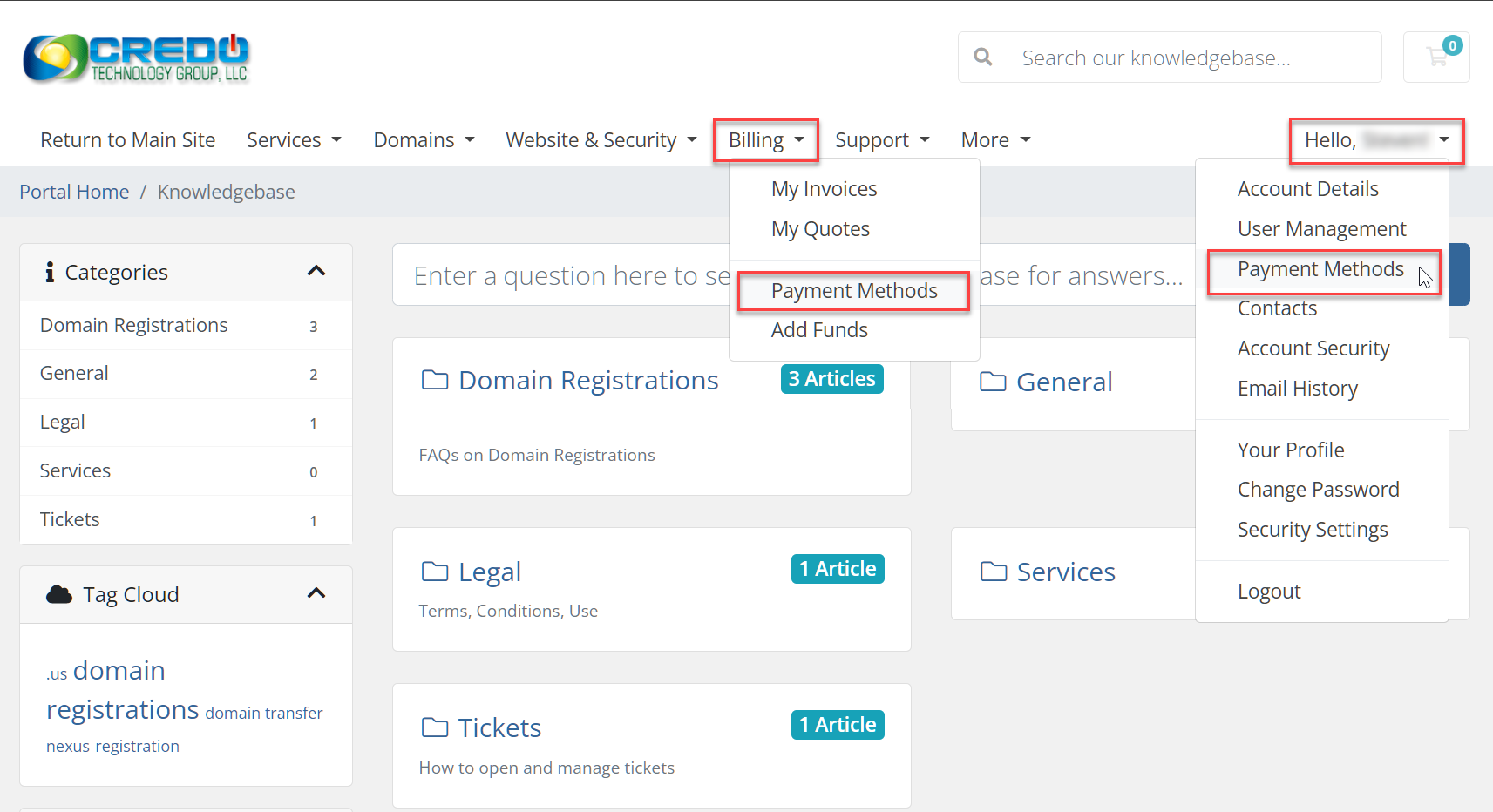
1. To Change payment, go to the top-right and click where it says Hello and then select "Payment Methods" or go to Billing in the menu and select "Payment Methods"
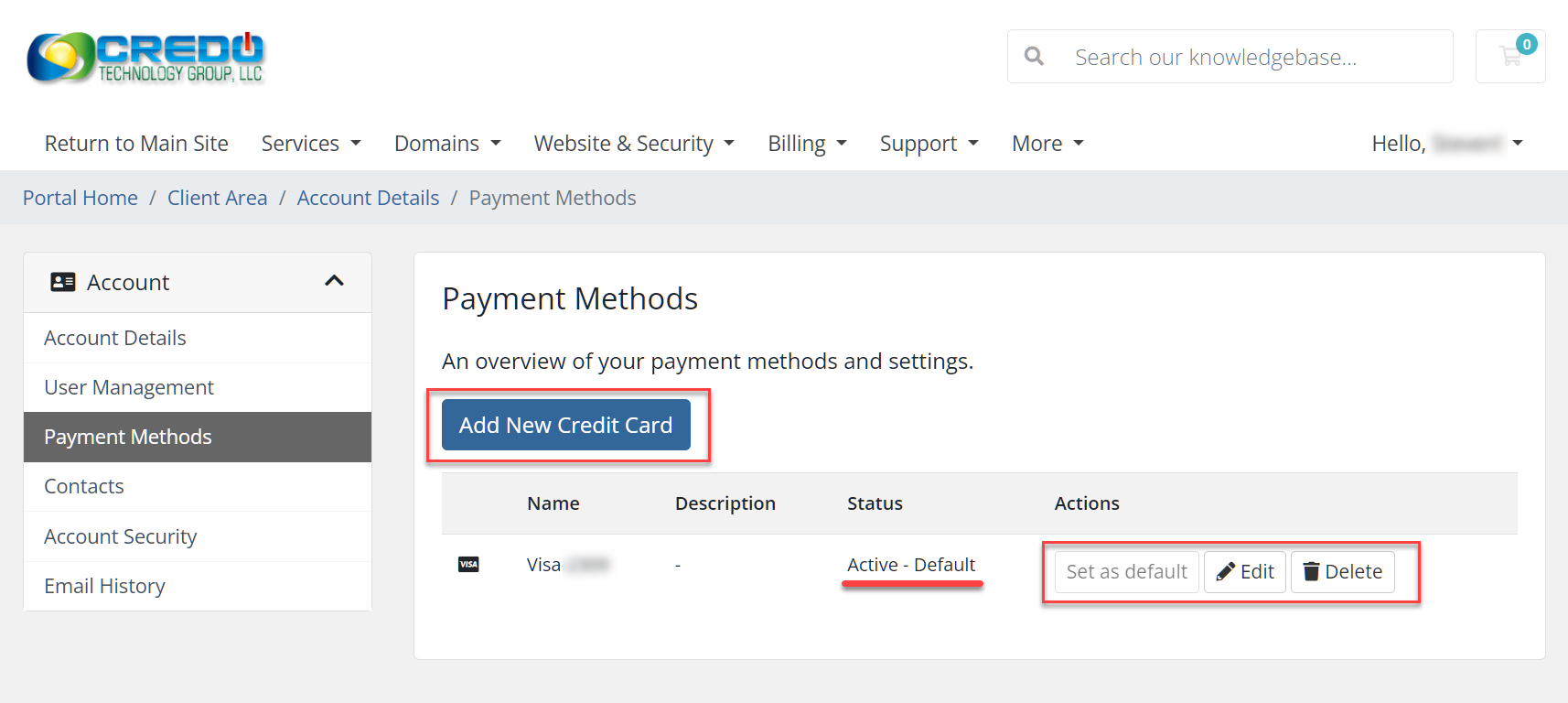
2. From there you can add a new payment method and edit existing payments by clicking Add New Credit Card or if you have a Credit Card already listed you can click on Set as default, Edit, or Delete
If you have any issues, please open a ticket by logging in at https://it.ctgreno.cloud or emailing [email protected].