
How to Turn Off Domain Auto-Renew
Follow these steps to disable automatic renewal for a domain in your client account.
Steps
-
Log in to the Client Area.
-
Click Domains in the menu, then select My Domains.
-
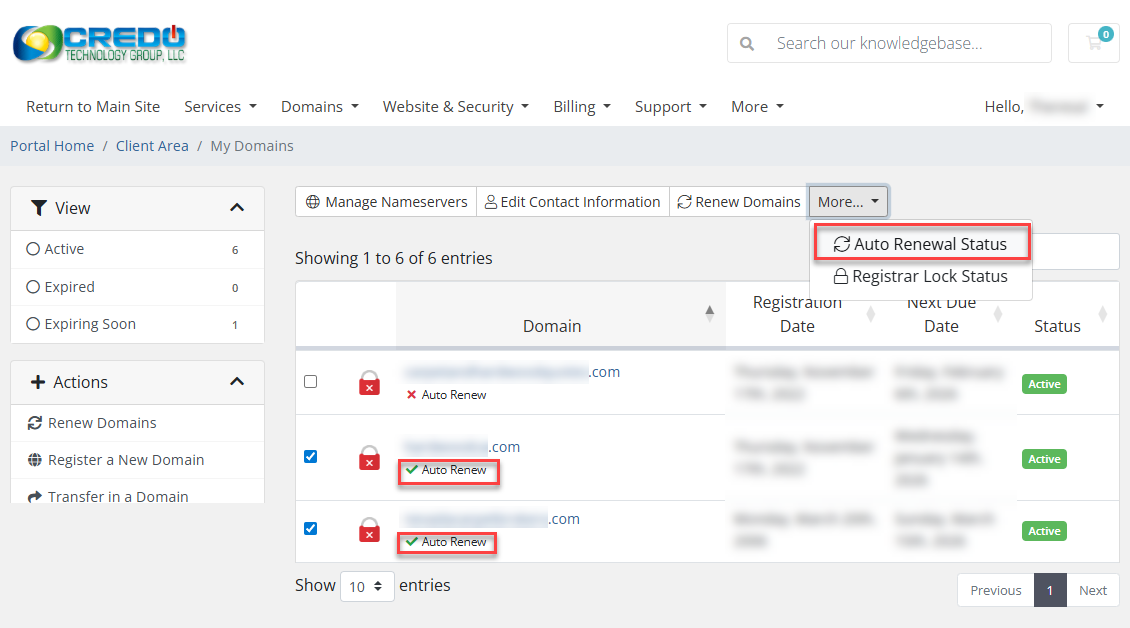
Find the domain you want to change and click anywhere in the column for the domain except not on the domain name itself (that'll try to take you to the domain's website whether or not it exists).
-
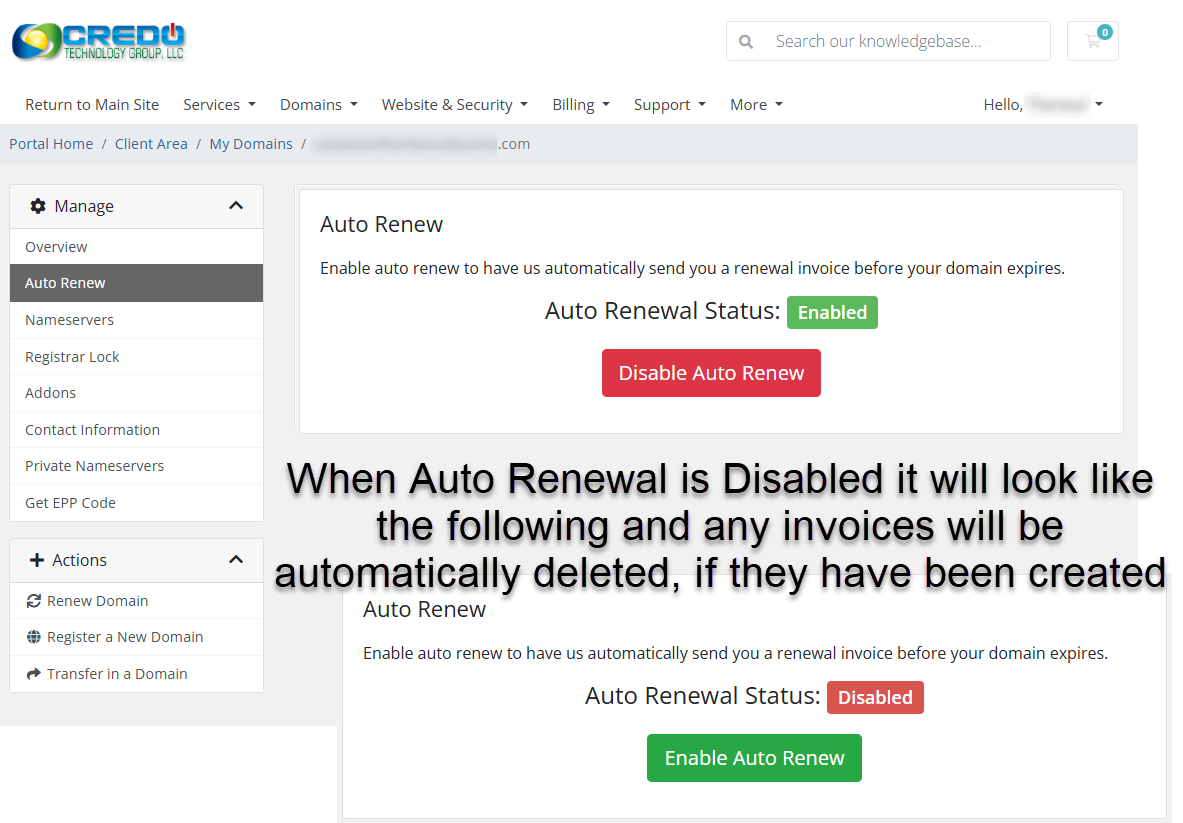
Locate the Auto Renew option on the left and click it.
-
Click Disable Auto Renewal
If you want to do more than one at once you can select the domains you want to cycle Auto Renew on or off and click the Auto Renewal Status. It will make Auto Renews flip. Auto renews that are off to turn on and auto renews that are on to turn off.
Important Notes
-
The domain will remain active until its expiration date.
- You will still get notices at 60, 45, 15, day of, and 5 days past time to renew your domain. We send out many notices.
-
Turning off auto renew does delete the invoice if not paid but will not perform any refunds if you have already paid for the domain.
-
If you change your mind and want to keep the domain, you can turn Auto Renew back on but you may want to renew it manually before it expires to be safe as there is no guarantee the auto renew will have time to trigger.